50 content creator tools you need to know about

Written by Jessica Coleman
Published on April 2, 2026
Reading time 18 minutes

Table of Contents
The creator economy keeps growing—and it’s not slowing down. Millions of independent creators now publish content professionally across social media platforms, taking audience attention out of the hands of legacy media and putting it squarely into the feed. Who among us hasn’t forgone a Netflix binge to stare at Instagram or TikTok for longer than we’re proud of?
That’s why, in support of the ever-growing contingent, we’ve compiled this robust list of creator tools to help them do what they do best—entertain, engage, educate and delight us.
What are content creator tools?
Content creator tools are software, apps and platforms that support the full lifecycle of social media content creation, from planning and production through publishing, distribution and performance measurement. They fall into six core categories: research and trend-spotting tools, AI creation tools, video editing and design tools, scheduling and publishing platforms, community engagement tools and analytics tools. Both independent creators and brand social media teams use these tools to produce content faster, maintain quality at scale and make data-driven decisions about what to create next.
Why your brand needs content creator tools
But content creator tools aren’t just for capital-C “Creators.” Brands and social media managers also tap the efficiency-driving power of these resources to make their own social content more compelling.
And, more than ever, brands are taking advantage of key creators’ popularity to promote their own products and services. The best creators humanize brands—and social media as a whole—and rally their formidable fanbases at a moment’s notice.
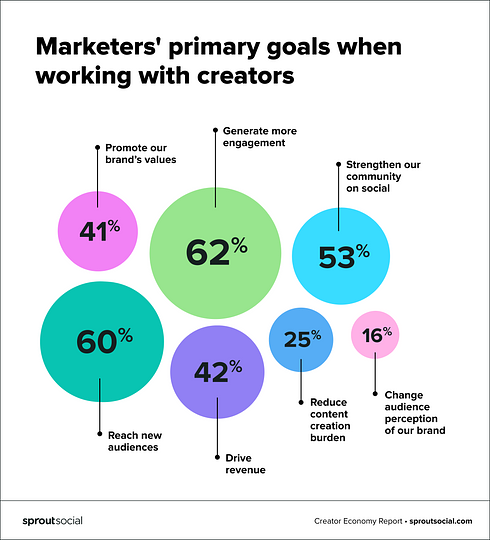
That’s why brands need to understand the creator economy and how it works. According to the Q2 2025 Sprout Social Pulse Survey, 76% of all social users say social media has influenced some percentage of their purchases over the past six months. The 50 tools below cover every stage of the content creation process for creators and brand teams alike.
Getting started: Network-specific content creation tools
To kick off the list, we’re going to give you a rundown of the tools that are specific to the major social media platforms. Many of these are native, free resources, but we’re also including some paid tools if they offer a network-specific solution.
TikTok creator tools
While the most junior of all the social networks in this list, TikTok has carved out a significant place among creators in a short period of time.
-
Perhaps the mothership for creators, TikTok offers a number of tools for them natively within the app. TikTok‘s Creator Portal is where you’ll find them. It’s free to use and the suite is regularly updated to include new features.
-
TikTok’s Creator Next is TikTok’s native monetization hub, available free inside the Creator Portal with eligibility requirements. It bundles several revenue-generating features in one place:
-
Creator Rewards Program: Pays eligible creators based on Qualified Views, originality and audience engagement—replacing the older Creator Fund.
-
Creator Marketplace: Connects brands with creators for paid partnership campaigns.
-
LIVE and Video Gifts: Lets viewers send virtual gifts during live streams and on videos, which creators convert to earnings.
-
Tips: Allows followers to send direct monetary support to creators they want to back.
-
-
Outside of TikTok’s Creative Portal, Trend Tok is a TikTok partner that uses an artificial intelligence algorithm to analyze what’s popular on the platform so creators know where to focus. The app is free to download, but to be able to use it, you’ll have to pony up $2.99 per week or $19.99 per year.
-
Vimeo’s Create Templates for TikTok give creators a leg up when it comes to creating ad content. You can even sync it to your TikTok account so that you can post directly from the app. Vimeo Basic is free but limited. Paid plans range from $7 to $75 per month.

YouTube creator tools
YouTube and creators go together like peanut butter and jelly. YouTube’s own Creator Studio is pretty robust, but there are a handful of other tools that can help to elevate your experience on the network.
-
YouTube’s Creator Studio is the platform’s native hub for content creators. It’s free to use and allows channel managers to add metadata, pull analytics, keep an eye on messages and track progress. There’s also a free mobile app available that can help creators stay on top of their channels on the go.
-
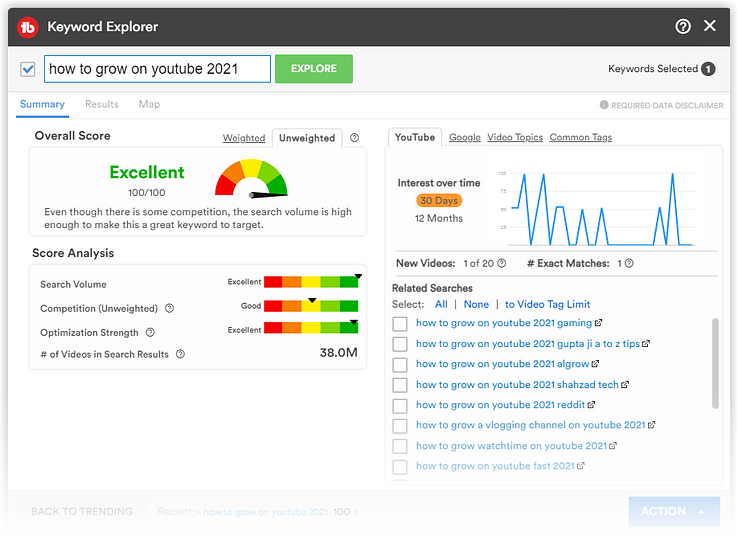
TubeBuddy is a browser extension that helps creators optimize their channels to increase views and subscribers. It offers advanced keyword research, templates, cross-platform sharing and even A/B testing options. Start with a free plan, or upgrade to a paid version for $4.99 to $24.49 monthly.
-
VidIQ is a tool designed to increase YouTube video views by delivering artificial intelligence-driven insights, ideas and analytics. It also allows you to track your channel’s performance on key metrics over time to keep tabs on your progress. The basic version is free, and there are three levels of paid subscriptions, starting at $7.50 a month.
-
Woobox is a tool that gives creators the option of displaying their YouTube videos directly on a Facebook Page Tab. This capability makes it easier for creators to reach new audiences and extend the visibility of their video posts. Like most of the tools on our list, there’s a limited free version plus four tiers of paid plans from $37 to $249 a month, depending on the functionality you need.
Facebook and Instagram tools for creators
Meta’s social networks, particularly Instagram and Facebook, are the top platforms marketers plan to use for creator collaborations in the near term. There are also supplemental tools that support your Meta presence.
-
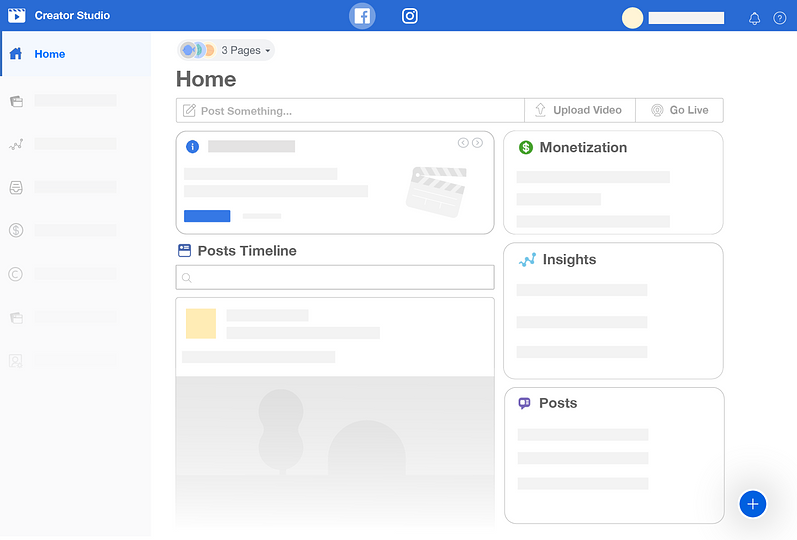
Meta Creator Studio allows creators to manage all their Facebook and Instagram accounts from one central hub. There are a number of free tools to help you schedule posts, make money, monitor metrics and engage with your audience.
-
Storyluxe is an app that gives creators access to more than 700 filters, frames, collages and templates for their Instagram Stories. Many of the options are free to use, but a paid subscription ($2.99) gets you access to unlimited premium elements.
-
PathSocial is a website that boasts the ability to help creators grow their communities (by 4,620 per month, on average) using artificial intelligence. While PathSocial does offer a handful of free tools (e.g., a hashtag generator and an engagement calculator), you’ll have to pay to use this service—from $49 to $69 per month.
-
The primary features of Instasize include a background remover, photo borders, photo resizer, collage maker, filters, photo editor and face editor. It’s free to get started, but the premium version of the app costs $4.99 a month and gets you access to more advanced tools.
LinkedIn creator tools
LinkedIn has built a dedicated creator ecosystem that rivals the tools available on more entertainment-focused platforms. For B2B creators and thought leaders, it’s now one of the most powerful places to build an audience.
-
LinkedIn Creator Mode gives creators the option to optimize their profiles for engagement. When this mode is turned on, creators can display a relevant link and hashtags to show the topics they commonly post about.
-
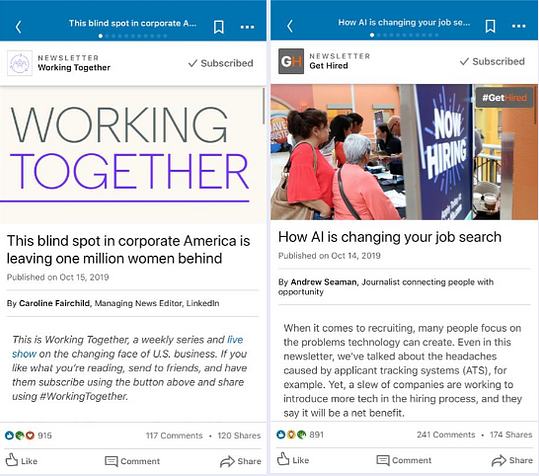
LinkedIn Newsletters are only available to individuals with creator profiles who meet a set of specific criteria (unless you have been grandfathered in as a previous newsletter author). Once your content is posted, the network sends out push, in-app, and email notifications to your subscribers to help drive views.
-
People with a creator profile on LinkedIn can become LinkedIn Live broadcasters, sharing real-time content with their followers. Whether you choose to use a third-party tool or a custom stream, you can schedule your event in advance and promote it on the network.
-
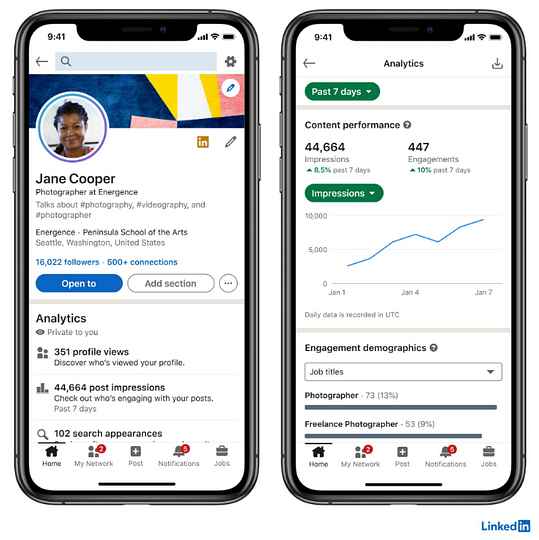
LinkedIn Creator Analytics provides creators aggregate data about how their content has performed over time. Creators can get details about their impressions, engagements, audience demographics, and even a trend graph to show how your metrics have changed over time.
Equipment and gear for content creators
The essential equipment for content creators includes a smartphone or camera, a microphone, lighting and a stabilizer.You don’t need a professional studio; these four categories cover the production quality gap between amateur and professional content at any budget.
-
Camera or smartphone. Today’s flagship smartphones shoot 4K video and produce print-quality images. If you’re starting out, your phone is enough. As you scale, consider a mirrorless camera like the Sony ZV-E10 or Canon M50 Mark II for sharper visuals.
-
Microphone. Audio quality makes or breaks a video. A budget USB microphone like the Blue Yeti or a clip-on lavalier mic eliminates background noise and makes every word crisp. Most start at $30 and scale to $150 for professional-grade options.
-
Lighting. A ring light or softbox eliminates harsh shadows and gives your video a clean, professional look. Ring lights start at around $25 and are one of the highest-ROI upgrades any creator can make.
-
Tripod or stabilizer. Shaky footage loses audiences fast. A basic tripod runs $20–$50. A gimbal stabilizer ($100–$300) is worth the investment if movement is part of your content style.
-
Screen recording software. For tutorial creators, marketers and anyone sharing on-screen workflows, Zight (formerly CloudApp) lets you record your screen and face simultaneously and share the result as a shareable link. The free plan supports up to 25 recordings. Paid plans start at $9.95 per month.
Leveling up: More content creator tools to sharpen your strategy
Now that we’ve covered the network-specific solutions and the gear that powers great content, let’s dive into the wider range of digital tools available. This section covers software and apps across every stage of the creator workflow, from ideation and production through to distribution and performance measurement.
AI tools for content creation
AI has shifted from a novelty to a necessity. Creators who use AI tools produce more content, iterate faster and spend less time on mechanical tasks, leaving more capacity for the creative judgment that actually differentiates great content. These tools accelerate every stage of the creative process without replacing the human voice behind it.
-
ChatGPT (by OpenAI) generates written content, captions, scripts, headlines and content briefs at speed. Use it to overcome blank-page paralysis, draft first cuts of copy and brainstorm campaign angles. The free version is robust. ChatGPT Plus starts at $20 per month for access to more advanced models.
-
Midjourney produces high-quality AI-generated images from text prompts. It’s used by creators and brand teams to generate original visual concepts, thumbnails and social graphics. Paid plans start at $10 per month.
-
CapCut is an AI-powered mobile and desktop video editor built for social-first content. It auto-generates captions, removes backgrounds, suggests edits and applies trending effects. The free version covers most creator needs. CapCut Pro starts at $7.99 per month.
-
Descript lets you edit video and audio by editing the transcript. Cut filler words, remove silences and create social clips in minutes. It also generates AI voiceovers and captions automatically. Free plan available. Paid plans start at $12 per month.
|
Tool |
Primary use |
Free tier |
Starting price |
Best for |
|---|---|---|---|---|
|
ChatGPT |
Writing, captions, scripts, ideation |
Yes |
$20/month (Plus) |
Copy generation and brainstorming |
|
Midjourney |
AI image generation |
No |
$10/month |
Visual concept creation and thumbnails |
|
CapCut |
AI-powered video editing |
Yes |
$7.99/month (Pro) |
Short-form social video editing |
|
Descript |
Transcript-based video and audio editing |
Yes |
$12/month |
Podcast and long-form video editing |
|
Sprout Social AI Assist |
Caption generation, reply enhancement, alt text, Smart Inbox summarization |
Included in trial |
Included in Sprout Social plans |
Social media publishing and community management workflows |
Sprout Social’s AI Assist is built directly into your publishing and engagement workflows—not bolted on as a separate tool. Use it to generate caption drafts, enhance reply tone, auto-generate image alt text and summarize long messages in the Smart Inbox. It handles the mechanical work so your team focuses on strategy. Try it free for 30 days.
Trend spotting and content research tools
If you are a marketer or business owner who’s developed content of any kind, you know that research is a major component of the process. These tools can help make this, sometimes arduous, step simpler.
-
Answer the Public is a search listening tool that gives creators insights into what their audiences are looking for. Just type in a keyword and get a plethora of autocomplete data from major search engines like Google. There is a free plan that gives you limited access. Or you can upgrade to a paid plan (from $9 to $199 a month) for more features and tools.
-
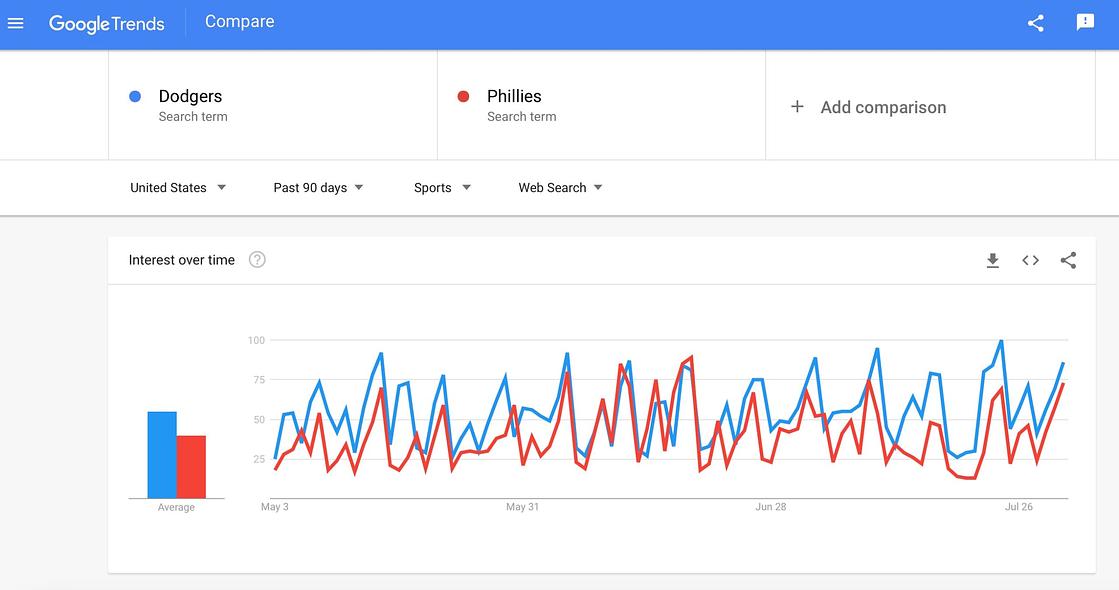
Google Trends leverages the search engine’s huge data repository to help creators understand what’s trending and where. For example, you can discover which NBA playoff team is being searched the most in each American state. As with most of Google’s tools, if you’ve got an account, it’s free to use.
-
Forekast dubs itself the “calendar of the internet.” Essentially, this tool helps creators and marketers understand what’s going on now and what’s coming up by sourcing from all the event calendars on the internet. It costs $9.95 per month (or $99.95 for an annual plan).
-
BuzzSumo is a tool that helps creators research popular content, discover new ideas and find top influencers to help amplify their reach. Type in a general topic or idea and get data to inspire your next project. Pricing starts at $39 a month for a micro plan and goes all the way up to $499 for an enterprise account.
-
Exploding Topics seeks to identify trends before they take off. You can sign up for their newsletter for free or pay for a “Pro” account to get weekly trend reports, a full trends database, unlimited searches, instant trend alerts and API access. A monthly subscription will cost you $97 at the entrepreneur level and $197 at the investor level.
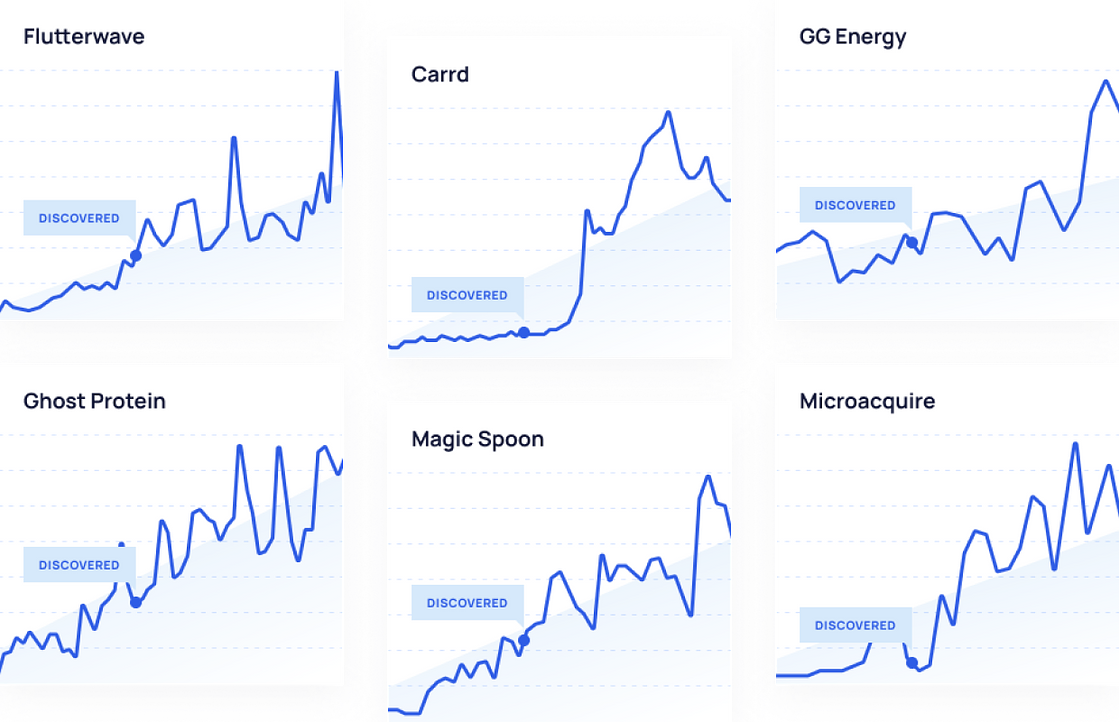
For brand teams, Sprout Social’s Listening functions as an AI-powered content research engine. It surfaces trending topics, tracks sentiment shifts and reveals what your audience talks about across social media platforms in real time. Use Spike Alerts to catch emerging conversations before they peak, and AI Assist to analyze your Listening data and generate instant plain-language summaries so your content strategy responds to what’s actually happening, not what happened last week.
Video editing and audio tools
Video is the dominant content format across every major social media platform. The tools below are what most professional creators and brand teams use to take raw footage from camera to publish-ready.
-
Adobe Premiere Pro is the industry standard for professional video editing. It handles everything from short social clips to long-form productions, with deep color correction, audio mixing and multi-track timeline editing. Paid only, starting at $22.99 per month as part of Adobe Creative Cloud.
-
DaVinci Resolve is a professional-grade video editor with a powerful free version that rivals paid alternatives. Its color grading tools are unmatched at any price point. The free tier handles most social content needs. DaVinci Resolve Studio is a one-time purchase of $295.
-
Final Cut Pro is Apple’s premium video editing software, built for Mac users who want a fast, intuitive editing experience. It’s a one-time purchase of $299.99 with no ongoing subscription.
-
Audacity is a free, open-source audio editor used by podcasters and video creators worldwide to record, clean up and export audio tracks. It’s completely free to use.
|
Tool |
Platform |
Free tier |
Starting price |
Best for |
|---|---|---|---|---|
|
Adobe Premiere Pro |
Mac, Windows |
No (free trial) |
$22.99/month |
Professional-grade multi-track editing |
|
DaVinci Resolve |
Mac, Windows, Linux |
Yes |
$295 one-time (Studio) |
Color grading and professional editing on a budget |
|
Final Cut Pro |
Mac only |
No (free trial) |
$299.99 one-time |
Mac-based creators who prioritize speed |
|
CapCut |
Mobile, desktop |
Yes |
$7.99/month (Pro) |
Social-first short-form video |
|
Audacity |
Mac, Windows, Linux |
Yes (free) |
Free |
Audio recording and podcast editing |
Graphic design tools
Visual content drives engagement across every social media platform. You don’t need a design degree to produce professional-quality graphics; these tools make high-quality design accessible to everyone.
-
Canva is the most widely used design tool in the creator economy. It offers thousands of templates for social posts, Stories, thumbnails, presentations and more, all drag-and-drop. The free version is extensive. Canva Pro starts at $15 per month and unlocks brand kits, background removal and premium assets.
-
Adobe Express is Adobe’s accessible design tool, built for fast creation of social graphics, short videos and web pages. It integrates with Adobe’s Creative Cloud suite. Free tier available. Premium plans start at $9.99 per month.
-
Figma is a collaborative interface design tool used by more advanced creators and brand teams to build highly custom graphics, social templates and visual systems. Free for up to three projects. Professional plans start at $15 per month.
Once your visuals are designed and approved, Sprout Social’s Asset Library gives your team a centralized, searchable home for every brand-approved image, video and graphic—accessible directly from the publishing workflow. No hunting through Slack threads or shared drives. Try it free for 30 days.
Digital content creation tools
These tools handle the production edge cases that dedicated video editors and design apps don’t cover, from image resizing and teleprompter support to GIF creation, icon libraries and multi-format repurposing. They’re the gap-fillers every creator stack needs.
-
Sprout‘s free Landscape tool lets creators quickly and easily resize social media images. Just upload an image, choose the networks you want to share it to, and voila. Simple as that. Even better, it’s completely free to use.

-
Animoto is a drag-and-drop video maker that requires zero experience to create stunning, brand-aligned videos that you can share on any social media network. There are tons of templates available for users across categories like social trends, promo videos and celebrations. A free plan allows you to create unlimited videos but limits the features you have access to. Upgrade to a paid plan ($8 to $39 a month) to use the more advanced features.
-
Have trouble remembering what you were going to say when you live stream or record a social video? BIGVU Teleprompter does just what it sounds like it does—it displays a script on your phone so you can read along while you record. If you’re cool with a BIGVU logo watermark on your videos, the free plan will work for you. If not, a starter plan costs $14.99.

-
GIFs are the love language of the internet. Sometimes a GIF is worth 1,000 words. If you love to use these live-action images to tell stories and convey emotion to your followers, check out Giphy’s huge database of content. You can also upload your own to share with the world. And it’s totally free to use.
-
With its sizable repository of templates, text effects and animations, Mojo helps creators quickly and easily create images and videos for various social media networks. There is a free plan, and paid plans start at $3.33 per month.
-
Flaticon‘s library of more than 7.8 million free vector icons and stickers can save creators time and money. Easily search for coordinating icon sets or illustrations that can be edited to any color, size and format. You can even create a logo on the site.
-
Kapwing‘s online video editor helps creators repurpose content for different formats and channels. The software’s smart tools give you the ability to create a video one time and then adjust it as needed to work for all your social networks. As with most tools on this list, there’s a limited free plan. Paid plans start at $16 a month when billed annually.

-
If livestreaming is a major part of your content strategy, check out a tool like Restream. It allows creators to broadcast in real time to multiple social channels simultaneously. A basic plan is free, and paid accounts start at $16 a month.
-
Unfold (created by Squarespace) calls itself a “toolkit for storytellers.” It’s another robust repository of social media graphic and video templates that supports creators to look more professional online. There’s a free plan, but the pro plan gives you the ability to create a brand kit with your unique colors, fonts and other creative assets.
-
Emotypes (created by Webflow) is a fun, free website that lets you browse typefaces based on the emotion you want your words to express. If you want to convey confidence, the site suggests IBM Plex Sans, a no-nonsense sans serif that communicates conviction in every letter.
-
Triller gives creators access to millions of songs (plus video filters and editing capabilities) that can be used to create their social content. The app is available on Apple and Android devices and is free to download. Premium features must be purchased.
-
Beehiiv is a newsletter platform built specifically for creators who want to grow and monetize a subscriber base. It offers a built-in ad network, paid subscription tiers and detailed audience analytics. The free plan supports up to 2,500 subscribers. Paid plans start at $39 per month.
Scheduling and publishing tools
Creating great content is only half the equation. Getting it in front of your audience at the right time, consistently across every platform, is where most teams lose ground.
Most social media platforms offer native scheduling tools. Instagram, TikTok, LinkedIn and Facebook all have built-in options. They work for single-platform publishing but break down fast when you’re managing content across multiple networks simultaneously.
That’s where a dedicated scheduling platform changes the equation. Sprout Social’s Content Calendar and ViralPost give creators and brand teams a single place to plan, schedule and publish across every major social media platform. Sprout Social’s patented ViralPost technology identifies the optimal send time for your specific audience, so your content reaches people when they’re most likely to engage.
Sprout also includes message approval workflows, an Asset Library for brand-approved visuals and cross-network scheduling in one platform. Start a free 30-day trial to see it in action.
Community-building and audience engagement tools
Another major factor in content creators’ success is driving engagement among their followers. These tools offer solutions to help content creators provide unique experiences and interact more meaningfully with their audiences.
-
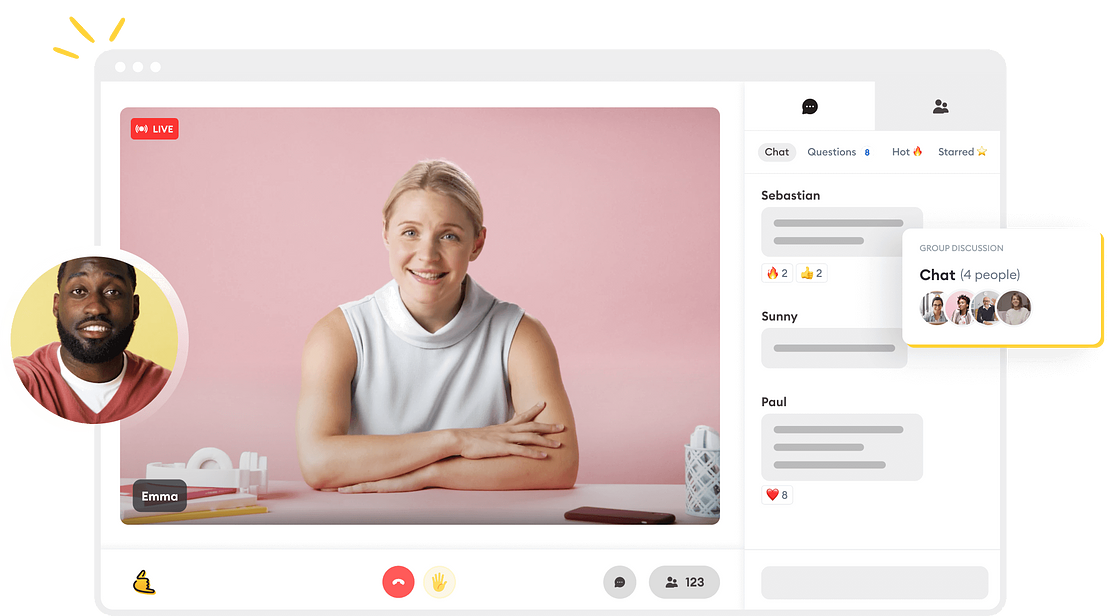
Run The World is a solution for putting on virtual events (panels, webinars, gatherings, conferences) for your community. The tool helps with registration and ticketing, the production of the actual event, as well as the coordination of social events surrounding it. There is a free version for events with up to 50 people and a pro version for $79 a month.
-
Another software focused on events, Superpeer helps creators host cohort-based courses, live events or 1:1 sessions. They offer video broadcasting and subscriber management tools. Superpeer charges creators 10% of the revenue their events generate plus 3% for credit card fees.
-
Crowdsignal helps creators collect feedback from their audiences via easy-to-create, brand-aligned surveys. The tool also offers a robust suite of analytics to help you make sense of the data you receive. There’s a limited free plan, and paid versions range from $15 to $29 a month, depending on how many team members you have and how many bells and whistles you want.
-
InfluPush is a free influencer-follower communication platform that allows creators to send push notifications to their audiences at the push of a button.
-
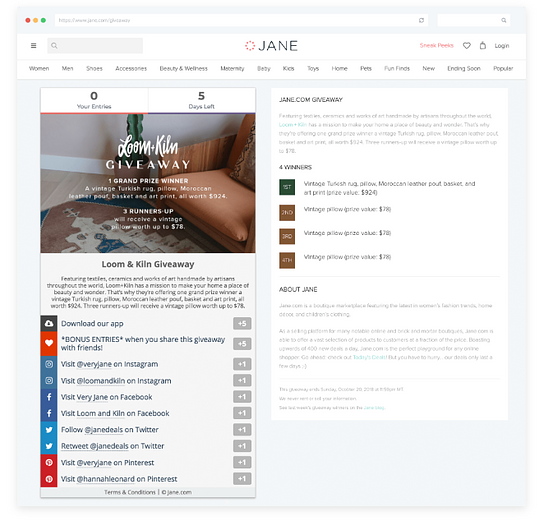
Ever considered running a social competition to drum up engagement but worried it would be too complicated to manage? This is where Gleam can help. This platform allows creators to easily run social competitions, automate rewards and capture emails with integrated forms. Complete access to all of Gleam’s features will run you around $97 a month.
-
Memberful is a membership software that gives creators the ability to monetize their following via the creation of a private community. This tool works for gated content, private podcasts, paid newsletters, communities and online courses. There’s a free plan with limited features, and paid plans start at $25 a month.
Monetization and commerce tools
With a large enough audience and the right plan for monetization, creators turn their side hustle into a full-time gig. The tools that follow make that process easier.
-
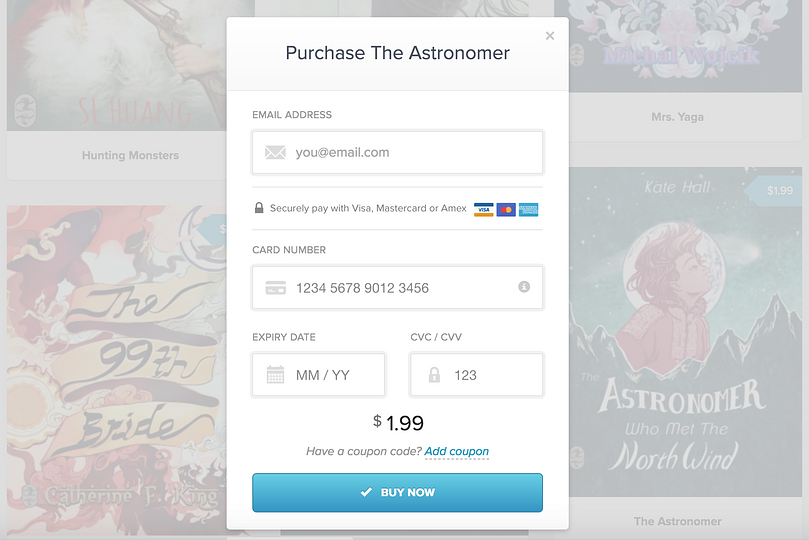
Payhip allows creators to easily sell digital downloads and courses or earn recurring revenue from memberships. There are three tiers of membership available. At the free level, Payhip charges a 5% transaction fee. At the plus level (a $29 monthly subscription), your transaction fee drops to 2%. Pro level users pay $99 a month but are not subjected to a transaction fee.
-
You’ve likely heard of the major e-commerce platforms like Shopify and Selz, but Big Cartel caters (and markets) specifically to artists and makers. On the platform, you can build and manage an online store without sharing a percentage of your revenue. The pricing model is based on a monthly subscription. For stores with five or fewer products, it’s free; at 50 products, it jumps to $9.99 a month; with 500 products in rotation, you’re looking at $19.99 a month.
-
Want to create branded merch for your followers? Spreadshirt is a global design marketplace that allows creators to customize a range of products—from t-shirts to stickers to tote bags—that they can then sell to their audiences. Prices vary based on the product developed.
-
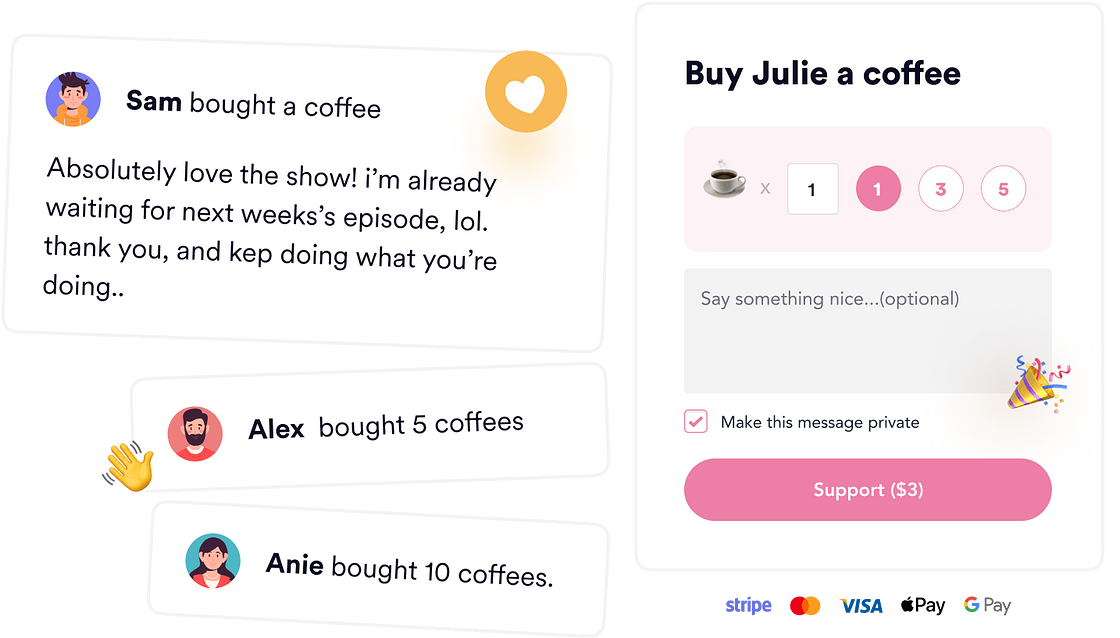
Similar to Patreon, Buy Me a Coffee is a crowdfunding platform that allows creators to accept donations or payments from their communities via a link. Post your link on your website, in your newsletter or even on your social accounts to monetize the content you share. It’s totally free to create a page, but Buy Me a Coffee charges a 5% transaction fee.
Managing your content strategy at scale
Creating content is only half the job. What happens after you publish determines whether your strategy grows or stalls, and most creators lose ground here, not in production.
Sprout Social brings the full content workflow together in one platform so you stop switching between disconnected tools and start making faster decisions. Here’s what that looks like in practice:
-
Content Calendar and ViralPost: Plan and schedule content across every major social media network. ViralPost automatically identifies the optimal send time for your specific audience rather than relying on global averages, so your content reaches people when they’re most likely to engage.
-
Smart Inbox: Manage all incoming messages, comments and DMs from a unified inbox with automatic sentiment classification, message assignment and keyword filtering.
-
Reports: Pull cross-channel performance reports by network, post type and campaign tag. Export or share directly with stakeholders to connect social activity to real business outcomes.
-
Listening: Track trending topics, sentiment shifts and brand mentions in real time—so your next piece of content is informed by what your audience actually cares about right now.
-
Asset Library: Store, organize and access brand-approved visuals and templates in one centralized location, accessible to every team member at publish time.
Start your free 30-day trial or request a demo to see how Sprout Social supports your full content strategy.
Frequently asked questions about content creator tools
What tools do most content creators use?
Most creators build their stack around video editing software (DaVinci Resolve, CapCut or Adobe Premiere Pro), a graphic design tool like Canva, an AI writing assistant and a social media management platform for scheduling, analytics and community management. The exact combination varies by platform and content type, but those four categories cover the full production-to-distribution workflow.
What equipment do I need as a content creator?
The core equipment every content creator needs is a quality smartphone or camera, a clip-on or USB microphone, a ring light or softbox and a basic tripod or stabilizer. You can build a strong production setup for under $150, and upgrade individual pieces as your content demands grow.





Share